Scott Wyden Kivowitz
Turning What You Know Into Software
By Scott Wyden Kivowitz•
TL;DRThe short version
This guide walks through building a software product without writing code, using Stencil. It covers testing an app idea against three filters (real, new, fair), mapping screens and data before generating anything, refining the app through prompts and hands-on testing, adding memberships and payments, and publishing to a live address. Start with a problem you already understand and build the simplest version that solves it.
Building software used to mean hiring an engineering team, spending months in planning meetings, and paying a stack of separate vendors just to keep a product online. If you are a creator, a consultant, or a domain expert who knows your industry inside and out, that wall was frustratingly high. You knew exactly what tool your market was missing, but turning that insight into functional code meant learning a complex stack or hiring expensive developers.
Platforms like Stencil changed how products come to life. By combining prompt-to-product AI capabilities with built-in business infrastructure, you can build real applications, memberships, and workflows that customers pay for without writing a single line of code.
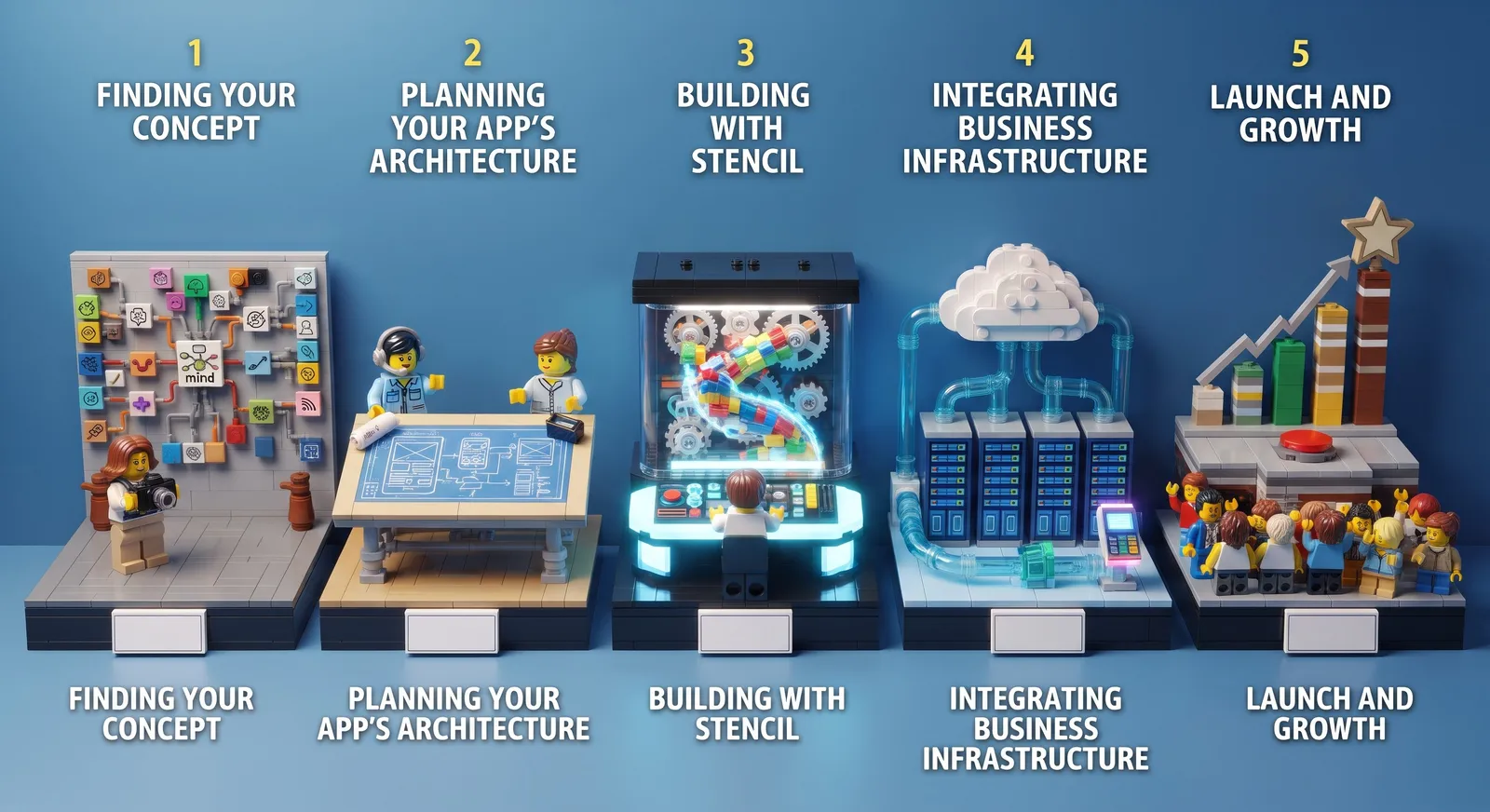
Creating a successful product is not about typing random prompts into a blank window. It takes a clear journey from raw ideation to functional planning and execution. This guide walks through the complete blueprint for finding your app concept, structuring your workflow, and launching it using Stencil.
Part 1: Finding Your App Concept
Great software solves an immediate, practical problem for real people. Many creators start by thinking about what technology can do rather than focusing on where people experience friction in their daily work.
Spotting Real Problems Worth Solving
When you look for an app idea, skip hypothetical problems and nice-to-have gadgets. Look for tasks that people hand-solve today using messy spreadsheets, manual email chains, or clunky workarounds while wishing someone would build a dedicated tool for it.
Frequency: Do your target users run into this friction weekly or daily?
Current Alternatives: How much time or money do they waste dealing with the workaround?
Clarity: Can you explain the core value of your solution in one sentence?
The Three Rules of Intelligent Ideation
Platforms built for modern creators thrive when your concept meets a strict standard of utility. Before you commit to a build, test your concept against three fundamental filters:
Is it Real? It must solve an actual, immediate problem for an audience you already understand.
Is it New? It should unlock a speed, workflow, or capability that was too cumbersome to run manually before.
Is it Fair? The platform should hand power and financial upside directly to the person closest to the problem.
Part 2: Planning Your App's Architecture and Flow
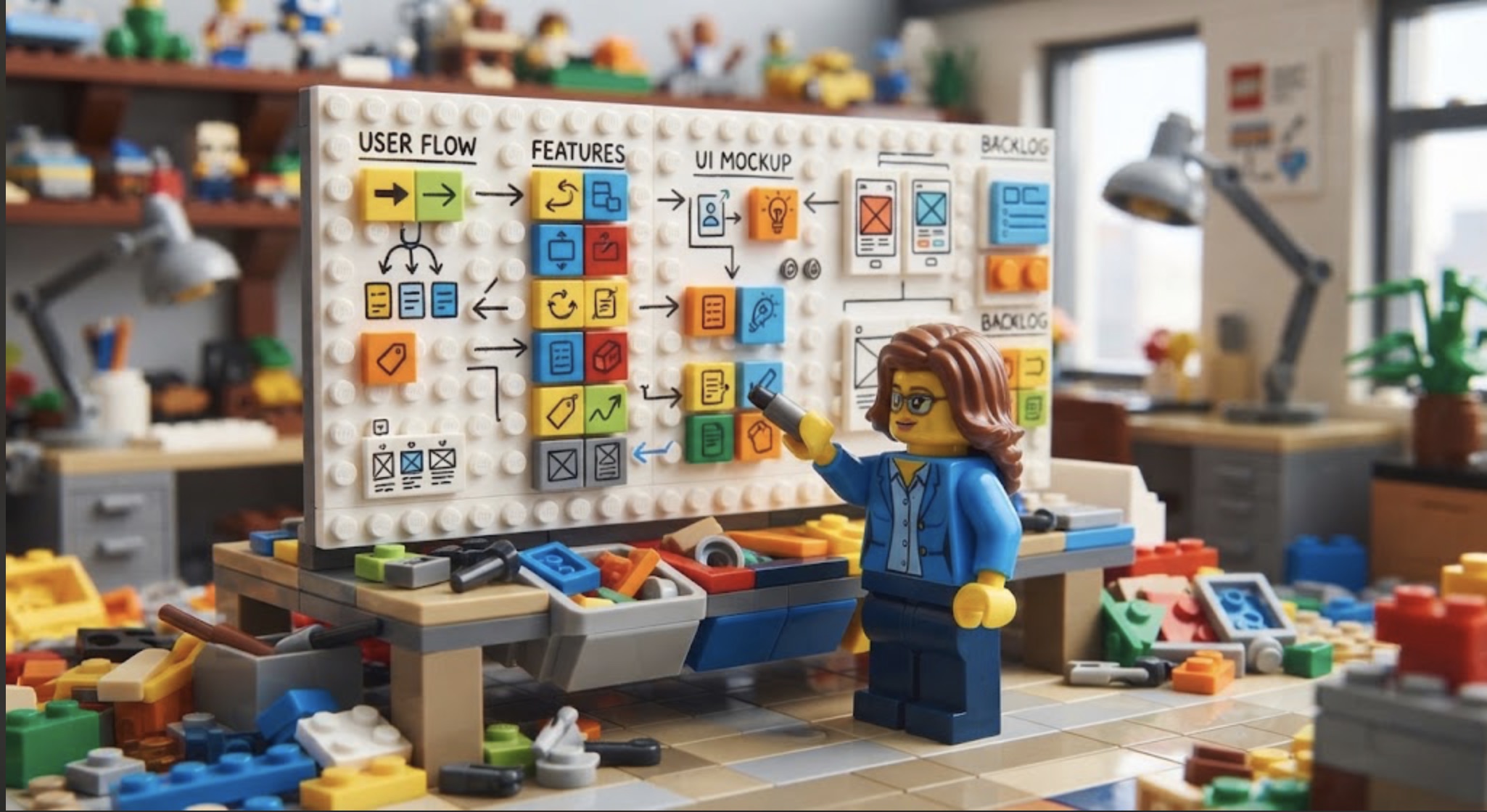
Once you pin down a compelling concept, resist the urge to jump straight into generation. Planning your user journey ensures your finished product feels intuitive from the moment someone opens it.
Mapping the Screen Layouts
Grab a notebook or open a blank document and sketch out the core views your users need. Most functional web apps rely on a clean, predictable layout structure:
The Main Dashboard: The central hub where users land to see their most important information, recent activity, or key metrics at a glance.
The Record View: Dedicated screens where users manage items, organize customer details, or browse content libraries.
The Action Forms: Simple, friction-free input screens where users add new data, update settings, or trigger workflows.
Defining Your Data and Logic
Think about what information your application needs to store and manipulate. If you build a client portal or a specialized membership tool, list the exact fields required, such as user names, subscription tiers, renewal dates, or project notes. Knowing what data matters keeps your app focused and stops feature creep before you start building.

Part 3: Building and Shaping with Stencil
With your concept clear and your blueprint mapped out, you are ready to bring the product to life without touching code.
Starting from Prompt to Product
Open Stencil and describe what you want to build in plain, conversational language. Explain the core purpose of your application, who uses it, and the primary workflows it needs to support.
Instead of configuring servers, setting up routing files, or wiring databases manually, the system generates your foundational application structure complete with interactive screens, data models, and user flows in minutes.
Refining the Experience
Once your initial app structure appears on your screen, you can explore it like a real user:
Click through your navigation menus to verify that the user journey feels natural.
Add sample records to test how your data tables and dashboards handle information.
Use chat or visual controls to make precise adjustments whether you want to tweak a layout, rename a field, or introduce a new operational feature.
Because the environment lets you build dynamically, you can shape the application until it matches your exact operational vision.
Part 4: Integrating Business Infrastructure
An app is only half of a business. To turn your digital tool into a sustainable venture, you need user authentication, database management, and reliable payment processing. On traditional development stacks, setting these up requires stitching together dozens of third-party services and managing separate vendor bills.
Handling Memberships and Payments
If your app delivers value on an ongoing basis, you want a system designed specifically for recurring revenue. Stencil comes equipped with built-in subscription management, letting you configure trials, handle customer billing, and scale your user base without wrestling with external payment integrations.
Offloading Operational Overhead
One of the biggest hidden costs of software creation is ongoing maintenance. On a traditional tech stack, someone has to act as the operations team, handling server patches, database backups, security updates, SSL certificates, and scaling during traffic spikes.
When you build and run your product on Stencil, that operational burden is handled behind the scenes:
Database Backups: Continuous, replicated, and tested snapshots protect your data.
Security and Compliance: Regular updates and infrastructure patches apply automatically across every layer.
Uptime Monitoring: Round-the-clock monitoring catches and resolves technical glitches before they impact your users.
This infrastructure layer frees you up to focus entirely on serving your audience and finding your first customers.

Part 5: Launching and Growing Your Product
When your application is polished, tested, and aligned with your workflow goals, you are ready to put it in front of the world.
Publishing Instantly
With built-in hosting and domain management, publishing your app takes a click. You get a live web address where users can sign up, log in, and start experiencing the value of your tool immediately.
Engaging Your Community
Share your newly launched application with your existing audience, newsletter subscribers, or community members. Because the platform supports your growth from day one, you can gather real user feedback, watch how people interact with your features, and iterate quickly as your business evolves.
Summary
You no longer need an engineering background or a venture-backed budget to turn your industry expertise into powerful software. By focusing on real-world friction, keeping your initial scope tight, and leveraging modern no-code platforms like Stencil, you can ideate, plan, and launch a production-ready application in record time. Start with a problem you know well, build the simplest version that solves it, and let your software do the heavy lifting.